In Short
The DesignDrafter free floor plan generator lets users create a real AI floor plan online in minutes on a Free plan with 100 AI credits a month and no credit card required. The free output matches paid plan quality, differing in credit volume, projects and exports, not design quality. This compares favorably to RoomSketcher's free plan, which offers just 2 credits and a watermarked single AI conversion, and Planner 5D's free tier, which excludes AI floor plan generation entirely. Free trials with real usage allowances convert users to paid at 18 to 25 percent, compared to just 2 to 5 percent for typical free tiers. DesignDrafter's Free plan does not expire, and paid plans start at INR 2,999 a month for more credits and projects.
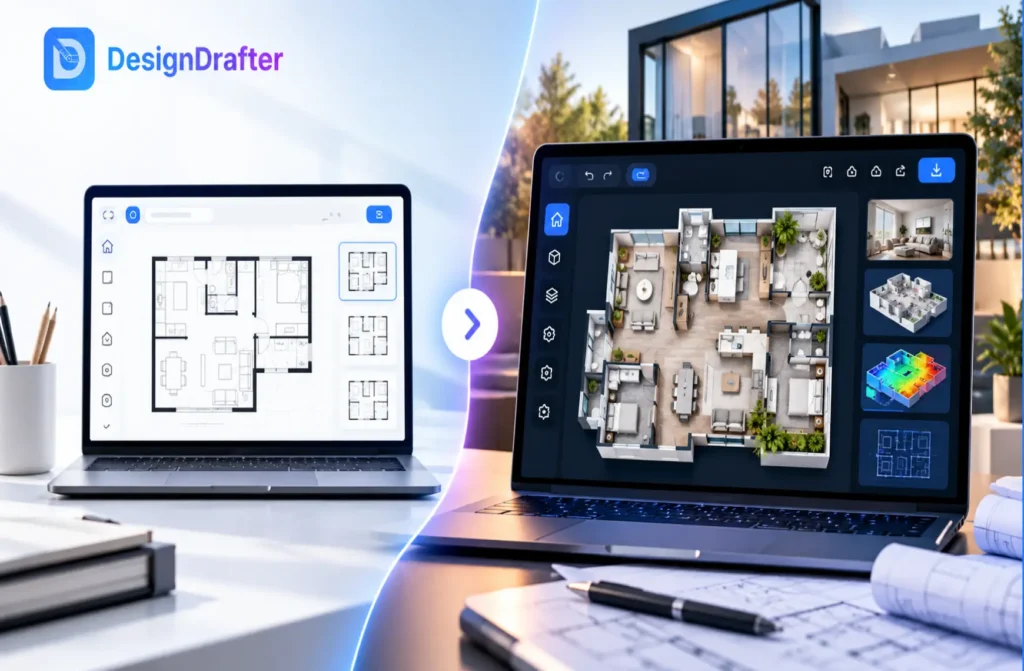
The DesignDrafter free floor plan generator lets you turn plot dimensions and room requirements into a real AI floor plan in minutes, without paying anything upfront. The Free plan gives you 100 AI credits a month with no credit card required, enough to generate several real layouts and judge the tool properly before deciding if it fits your workflow.
That is worth being clear about upfront, since a lot of free floor plan generator software online is not quite what it claims to be. Some tools call themselves free while quietly limiting you to a single low quality export with a watermark stamped across it. Others use the word loosely to describe a trial that expires the moment you actually need the output for something real. In my time reviewing these tools for architects and homeowners trying to pick one, the honest answer is usually somewhere in between, and DesignDrafter's approach is built to be upfront about exactly where it sits.
This piece walks through what the DesignDrafter free floor plan generator actually gives you, how the process works from a blank plot to a finished layout, and how it compares to other free floor plan generator software people commonly consider alongside it.
The DesignDrafter free floor plan generator is an AI tool that takes your plot size, room count, and site details and produces a workable floor plan layout automatically. It is free to use on the Free plan, which requires no credit card and gives you 100 AI credits every month to generate real, usable layouts.
This is not a stripped down demo mode. The layouts you generate on the Free plan are the same quality as what a paid plan produces, built with the same underlying logic that accounts for room adjacency, circulation, and local building considerations. The difference between the Free plan and a paid plan is volume, projects and exports, not layout quality. When you need more than 100 credits a month or more than one project, paid plans start at INR 2,999 a month, which is a fair trade for a tool that does not force you to guess from a locked demo before committing to anything.
Think about what this looks like for a typical user. Someone planning a small home renovation might generate three or four different room layouts within a month's free credits, comparing each one against their actual space before picking a direction. That is a meaningfully different experience from a tool that gives you one attempt and then asks for payment before you even know if the output style suits your project.
Getting from a blank plot to a finished layout takes only a few steps, and most users see their first floor plan within minutes of starting.
Most of the time spent in this process is step four, deciding which generated option actually fits your project, rather than waiting on the software itself. That is the real time savings compared to manually drafting a layout from scratch, which can take hours even for an experienced team.
None of these steps require design experience on your part. You do not need to know how to draft, measure clearances, or understand structural grids to get a usable first layout. The tool handles the technical logic behind room placement and circulation, leaving you to make the judgment calls a homeowner or client is actually qualified to make, whether a layout feels right for how the space will be used day to day.
Calling something the best free floor plan software usually comes down to one question, how much real output do you get before hitting a wall. DesignDrafter's answer is 100 AI credits every month, enough to test multiple layout ideas rather than just one.
Compare that to how a couple of other well known tools structure their free access. RoomSketcher's free plan gives new users 2 credits and one free AI floor plan conversion, with a watermark on 3D snapshots. Planner 5D's free tier offers unlimited projects but reserves its AI powered floor plan conversion feature for paid plans entirely, so the free version never actually generates an AI floor plan for you at all. DesignDrafter's Free plan sits in a different spot, generous enough on credits to properly test the AI generation itself, which is usually the part people most want to try before paying for anything.
| Tool | Free Access | AI Floor Plan Generation Included | Card Required |
|---|---|---|---|
| DesignDrafter | Free plan, 100 AI credits a month | Yes, full quality | No |
| RoomSketcher | Free plan, 2 credits | Yes, 1 conversion, watermarked | No |
| Planner 5D | Free plan, unlimited projects | No, paid only | No |
None of these numbers are permanent, since pricing and credit allowances change over time, so treat this as a snapshot rather than a final word and check each tool's own page before deciding. The pattern that matters more than the exact figures is how upfront each tool is about what its free access actually includes, since that honesty is a better signal of how the paid product will treat you too.
People search for free floor plan generator software for two very different reasons, and the right tool depends on which one actually applies to you. Homeowners usually want to visualize an idea before spending money on an architect. Architects and consultants usually want to speed up the early concept stage of a project they are already being paid for.
Those two use cases need different things from free access. A homeowner exploring ideas for a single room addition just needs enough credits to see a few layout options and get a feel for the space. A working architect testing a tool for professional use needs enough real output to judge accuracy, room adjacency logic, and export quality against an actual project brief, not a demo file the vendor already optimized to look good. DesignDrafter's free floor plan generator is built with the second group in mind first, which is why the Free plan leans toward more usable credits rather than a small taste followed by a hard paywall.
There is a third group worth mentioning too, people comparing several tools side by side before committing to any one of them. This is probably the most common real use of a free trial, even if it is rarely stated outright. Rather than reading marketing pages and guessing which tool's AI generation actually performs well, a trial with a real credit allowance lets you generate the same room program across two or three tools and compare the actual output directly. That comparison is far more useful than anything a features list can tell you, since AI floor plan quality is genuinely hard to judge without seeing it applied to your own numbers.
The Free plan gives you 100 AI credits a month and one project to generate real floor plans and judge the tool on an actual project. Paid plans raise those limits, starting with Plus at INR 2,999 a month for 3,000 credits and 3 projects, and add PDF, CAD and IFC exports for ongoing project work.
This distinction matters because a trial and a permanent free tier solve different problems. A free tier is designed to let in a large volume of casual users at low cost, and most of those users were never going to pay regardless of the plan's limits. A short trial with a real credit allowance is designed for someone who has already decided to seriously evaluate the tool. DesignDrafter's Free plan borrows that idea: it gives a real monthly credit allowance rather than a token handful of credits, without the expiry date. Industry data on this pattern backs it up. Self serve free tiers commonly convert users to paid at only 2 to 5 percent, while time limited trials with a real usage allowance convert far higher, often between 18 and 25 percent, since someone starting a trial has already decided they are seriously testing the product. If the free output convinces you the tool fits your workflow, moving to a paid plan is a natural next step rather than a surprise paywall you were not expecting.
A few mistakes come up often enough when people test free tools that they are worth calling out directly, and most of them come down to testing the tool the wrong way rather than the tool itself being unreliable.
Anyone deciding between multiple floor plan tools benefits from testing this way, since 100 credits a month is enough to compare DesignDrafter's output directly against whatever else you are considering. Homeowners planning a renovation or new build can use the Free plan to see several layout directions before committing to an architect's fee. Architects and design consultants evaluating tools for their own practice get enough real output to judge whether the AI generation logic actually holds up against a real project brief, not just a polished demo.
Small firms and independent designers testing tools for the first time tend to get the most value out of this kind of free access, since they are usually the ones weighing a real subscription cost against how much time the tool will actually save on upcoming projects. Someone in that position benefits from generating a handful of different layouts across different project types on the Free plan, rather than a single test case, since that is what actually reveals whether the tool holds up across the kind of variety a real practice deals with day to day.
The DesignDrafter free floor plan generator is built to give you a genuine, honest look at what the tool can do, using real credits on real projects, before you decide if a paid plan makes sense for your workflow. That honesty is worth more than a bigger number on a pricing page, since free access you can trust to represent the real product is what actually helps you make a good decision. If you want to see the full platform, visit the DesignDrafter homepage, check what the AI design agent adds on top of basic generation, or look at pricing once your free credits are used up. DesignDrafter's architects solution is worth a look too if you are testing this for professional project work rather than a personal one.
Founder
Manas Krishna is a Mechanical Engineer and infrastructure technology entrepreneur with 20+ years of experience in MEP (Mechanical, Electrical, and Plumbing) engineering, public health engineering, and transport infrastructure projects across India.
FAQ

The DesignDrafter free floor plan generator is an AI tool that converts plot dimensions and room requirements into a real floor plan layout. It is free on the Free plan, with 100 AI credits a month and no credit card required, letting you test real output before paying anything.
Yes. DesignDrafter has a Free plan that doesn’t expire: 100 AI credits a month, one project and the floor plan editor, with no card required. If you need more credits or projects, paid plans start at INR 2,999 a month.
Most users see their first generated floor plan within minutes of entering their plot dimensions and room requirements. The remaining time is usually spent reviewing generated options and making small manual adjustments, not waiting on the software itself, which is what makes the process fast even for someone with no design background.
DesignDrafter’s Free plan gives 100 AI credits every month with AI generation included, compared to some free tiers that limit you to 1 or 2 credits or exclude AI generation entirely. Whether it is the best fit depends on how much real output you need to properly test a tool.
No. The DesignDrafter Free plan requires no credit card. You get 100 AI credits a month to generate real floor plans, and you only add billing details if you decide to move to a paid plan, so there is no billing surprise.
The Free plan refreshes with 100 AI credits each month. If you run out before then, you can wait for next month’s credits or move to a paid plan such as Plus, which includes 3,000 credits a month. Floor plans you already generated remain available to you, so nothing you created disappears.
Free floor plan generator software is useful for exploring layout ideas quickly before committing money to a professional. For a project that needs code compliance, structural accuracy, or a final buildable design, working with an architect alongside the generated concept is usually the better path.
Some tools reserve their AI powered floor plan conversion feature for paid plans specifically, using the word free to describe basic manual design tools instead. Always check whether AI generation is included in a free tier, rather than assuming the word free covers every feature the tool offers.
Yes. The Free plan produces the same quality layouts as a paid plan, limited by credits, projects and renders rather than by layout quality. Architects and consultants can use the 100 monthly credits to test the tool against a real project brief before deciding whether to move to a paid plan.
The exact number depends on how many credits each generation uses, but 100 AI credits a month is typically enough to test multiple layout variations rather than just one. This gives you a real basis for comparison before you decide on a paid plan.

July 15 , 2026

June 2 , 2026

April 16 , 2026